 ChatTiger
Fill in your business profile
Your agent only knows what you put in your business profile. If something's missing, it won't make it up: it says it doesn't have that info and offers to connect them with a person.
Where to find it
In the menu, tap Your agent and go to the Knowledge tab.
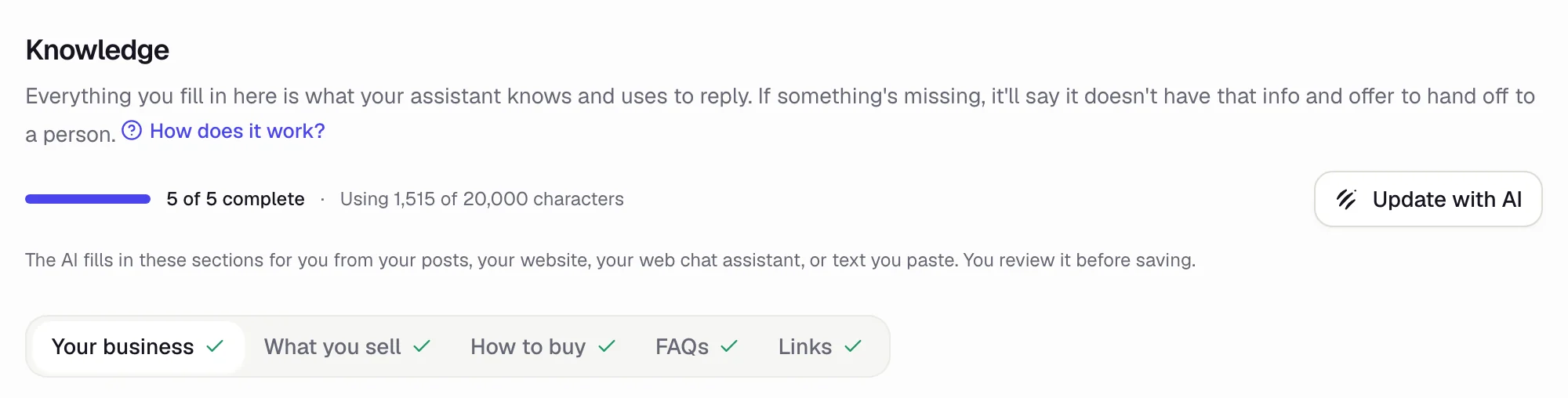 1
2
3
- 1How many sections you've completed.
- 2Fill with AI (it says Update with AI once your profile has info): the AI helps you write your profile.
- 3The 5 sections. A check mark ✓ means that section is complete.
Fill in the 5 sections
-
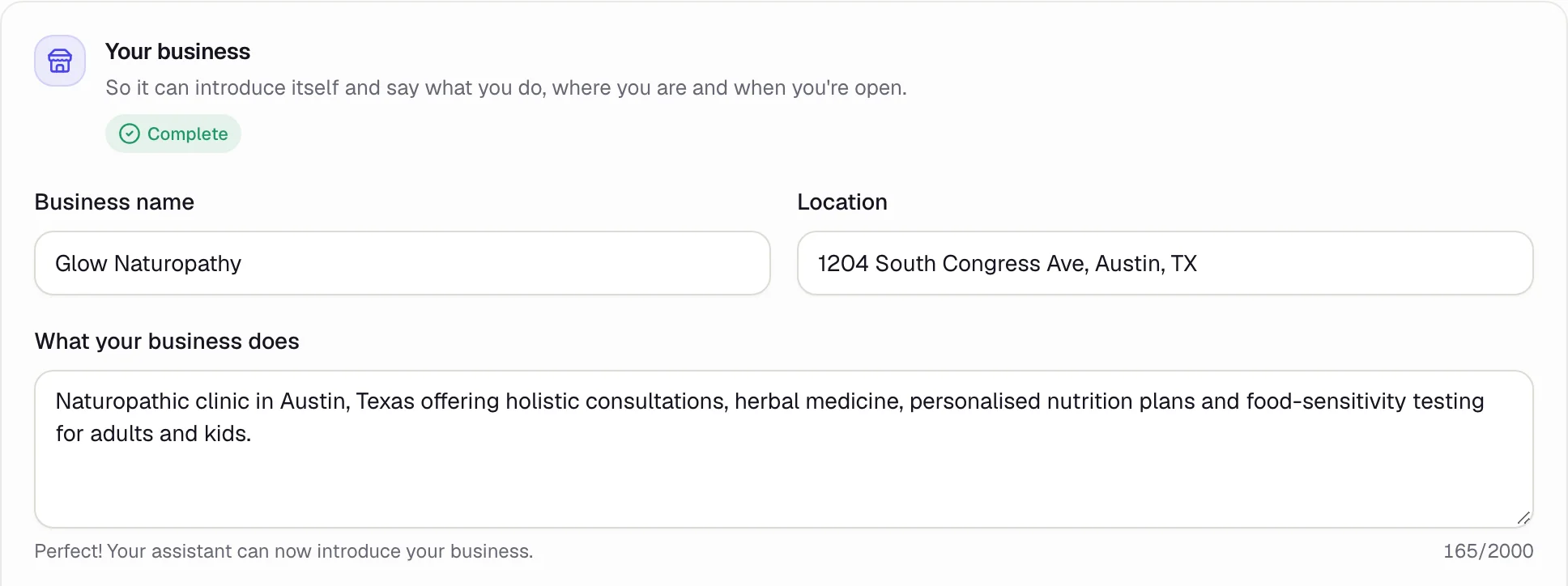
Your business
Name, location, what your business does and your hours. In What your business does, write at least 80 characters: that's the minimum to turn on your agent.
-
What you sell
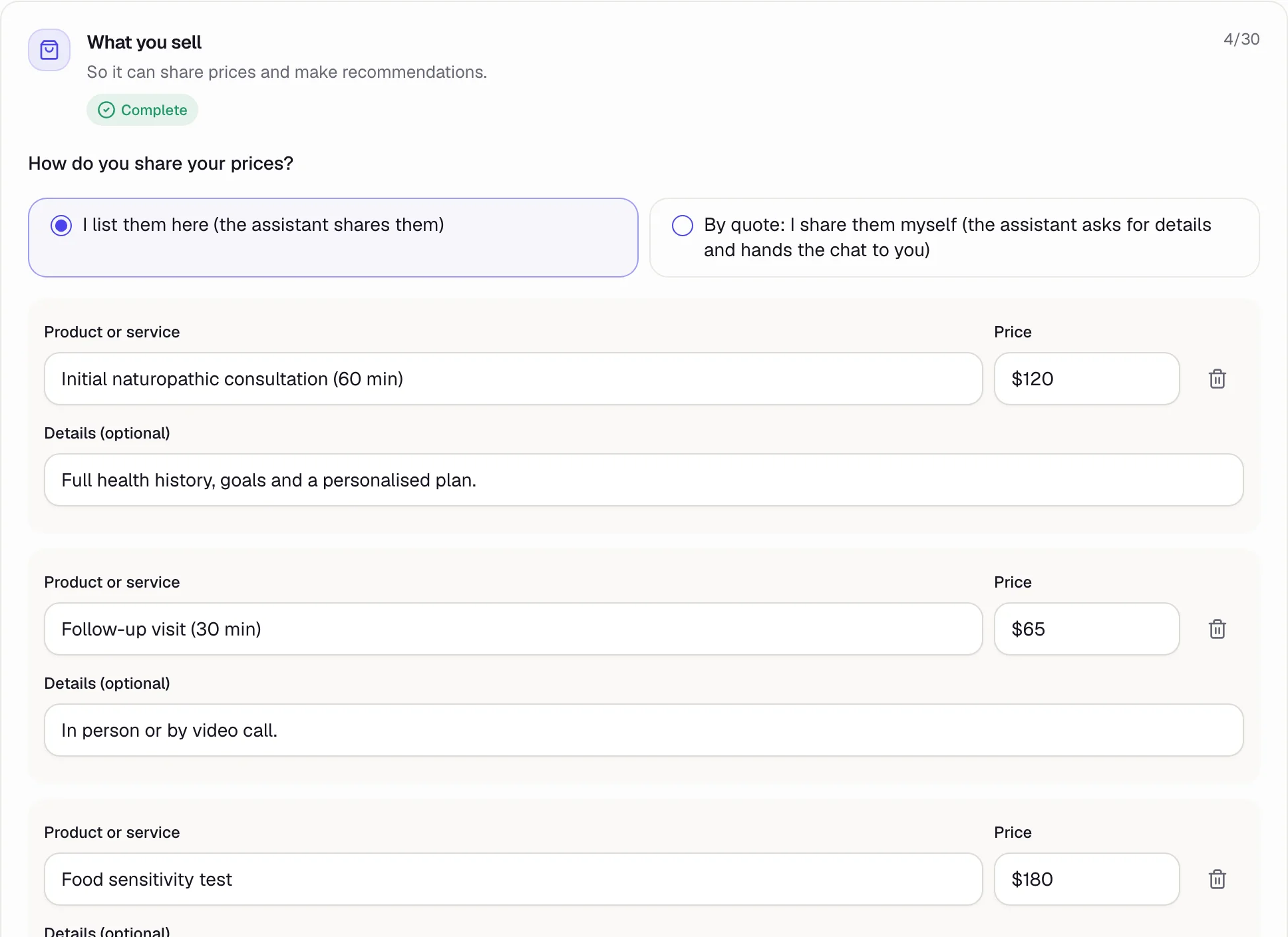
First, choose how you share your prices:
- I list them here: your agent shares the prices you write down.
- By quote: your agent asks for the details and hands the chat to you so you can give the price.
Then tap Add product for each thing you sell: name, price and an optional detail (length, format, what's included). You can add up to 30.
-
How to buy
How people pay you, how you deliver, and your policy on changes and refunds. For example: “Card, Zelle or cash. Herbal teas ship anywhere in the US for $6. Cancel a visit up to 24 hours ahead at no charge.”
-
FAQs (optional)
The questions you get the most, with your exact answer. Tap Add question; you can add up to 30.
-
Links (optional)
Your catalog, your booking page or your online store. They must start with
https://. Up to 10.
Nothing is saved until you tap Save business profile at the bottom. If you leave before that, you lose what you wrote.
Your agent uses your profile to answer everyone. Never put customers' names, phone numbers or orders in it.
Fill with AI
Don't feel like writing it all? Tap Fill with AI and choose where to get the info from:
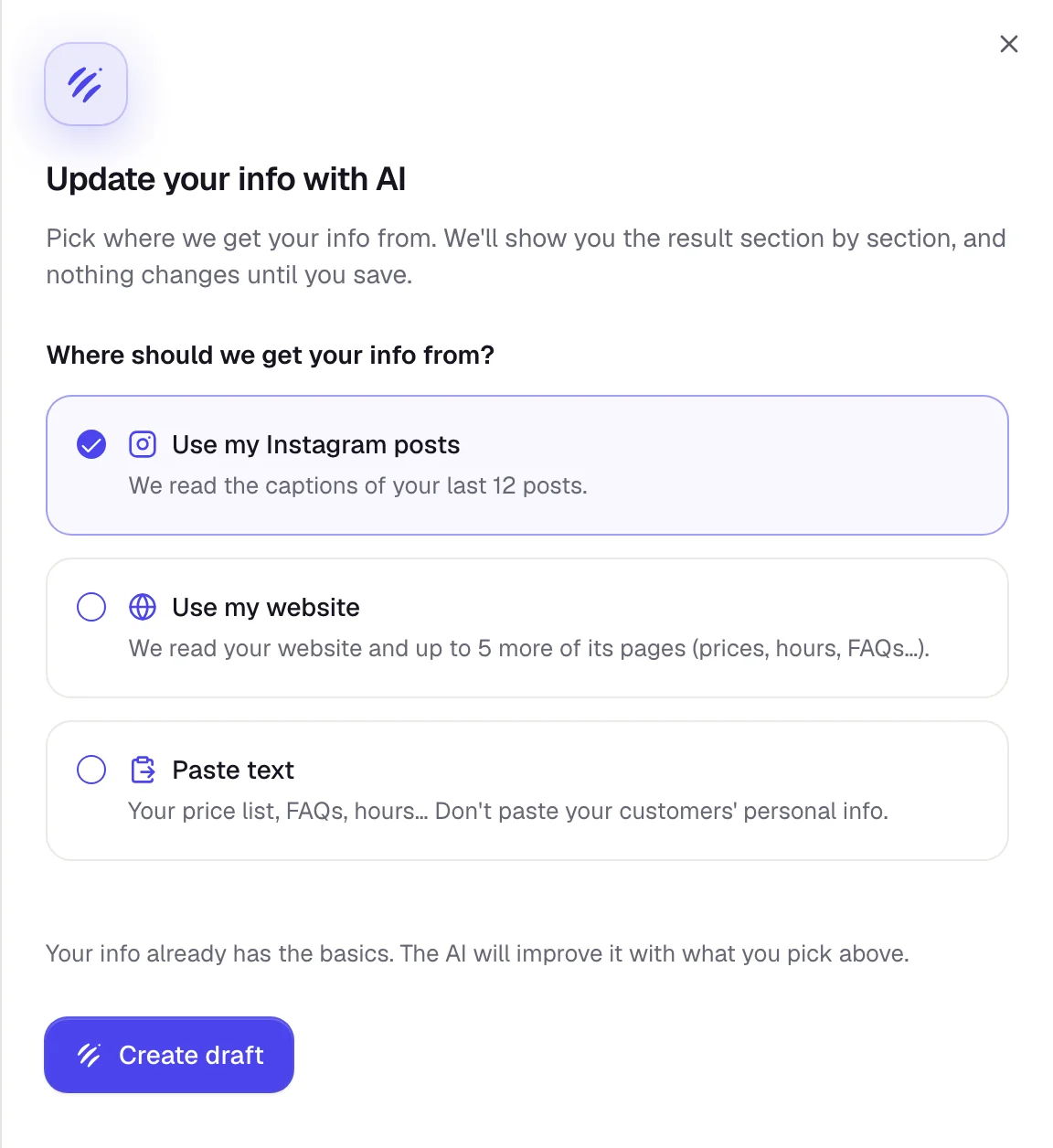
- Use my Instagram posts: reads the captions of your last 12 posts.
- Use my website: reads your page and up to 5 more pages of your site.
- Paste text: paste your price list, your services or your FAQs.
Tap Create draft. The AI shows you the result section by section, and nothing changes until you save: look it over, fix anything that's off and tap Save business profile.
Some websites built with lots of animations can't be read. If that happens, copy the text from your site and use Paste text.
Tips for better answers
- Write the way you'd answer a customer yourself, in short sentences.
- Use exact prices and what they include. If they change a lot, choose By quote.
- If you keep getting the same question, add it to FAQs with your answer.
- After you change your profile, tap Test (top right) and ask about what you changed: the simulator opens alongside, without leaving Knowledge. More in Test your agent.
Common problems
My agent says it doesn't have info that I did add
Make sure you saved your profile and that the info is written clearly. In the simulator, under each answer, Used: shows which part of your profile it read.
“You've reached today's draft limit”
The AI can create up to 50 drafts and ideas a day per business. Come back tomorrow or write your profile by hand.
“We couldn't read your website”
Check the address (for example mybusiness.com). If your site can't be read, use Paste text.