 ChatTiger
When it's your turn
Your agent can't handle everything, and that's okay. When a person is needed, it steps aside, lets you know, and the conversation stays with you until you hand it back.
When it hands the conversation to you
- The customer asks to talk to someone.
- They want to buy or confirm an order: your agent doesn't close sales for you.
- They have a complaint.
- They ask something that isn't in your business profile.
- They left their contact info so you can reach out.
The customer gets this message: "Done 🙌 I've passed your conversation to someone on the [your business] team. They'll reply here as soon as possible."
How you find out
We'll let you know by email. Add your email in Settings → Notifications and handoff → Email for alerts. No email, no alert: you'll only see it in your Inbox.
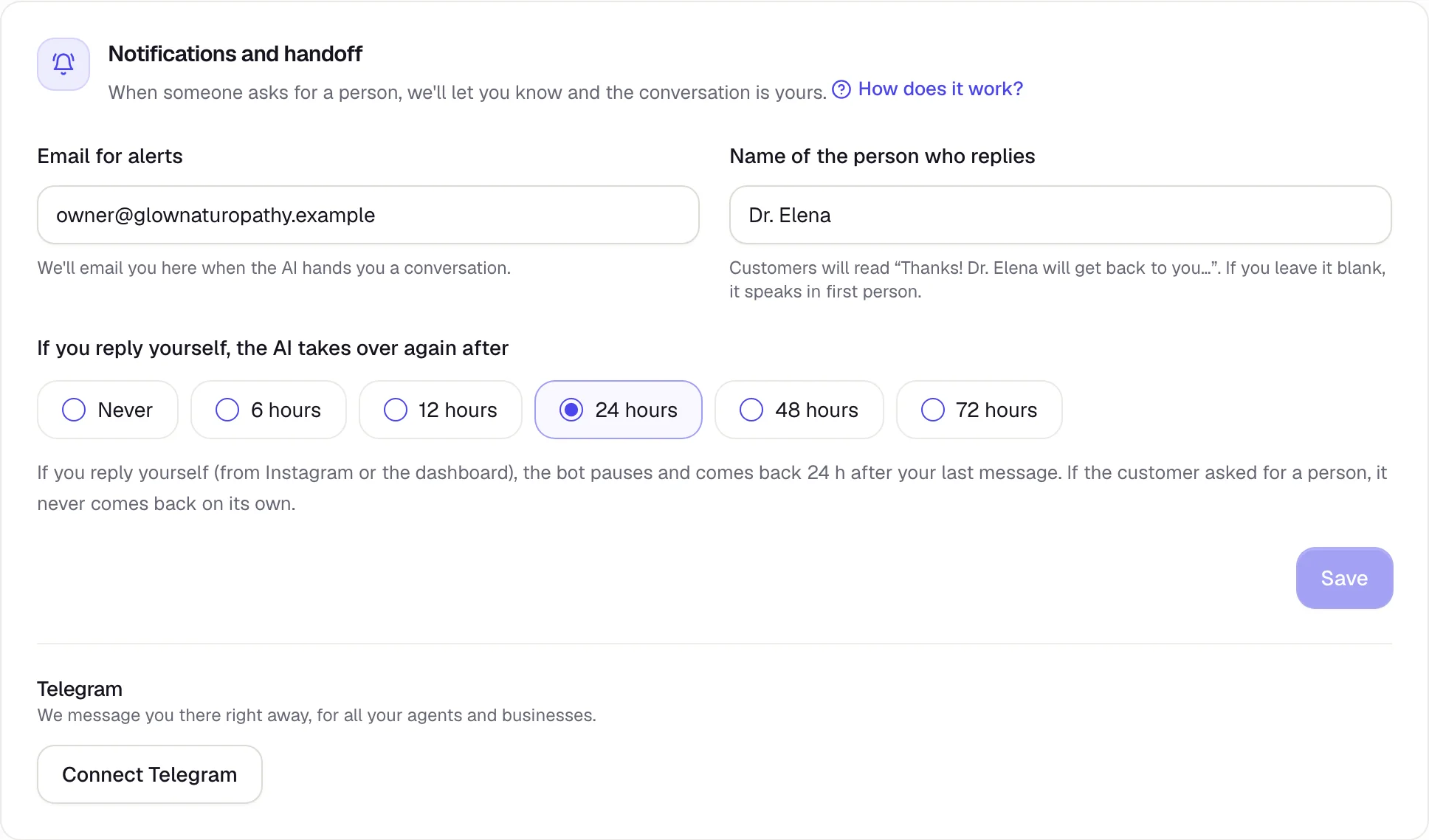
- Name of the person who replies: the name your customer sees when you're the one answering.
- If you reply yourself, the AI takes over again after: more on this below.
The Inbox
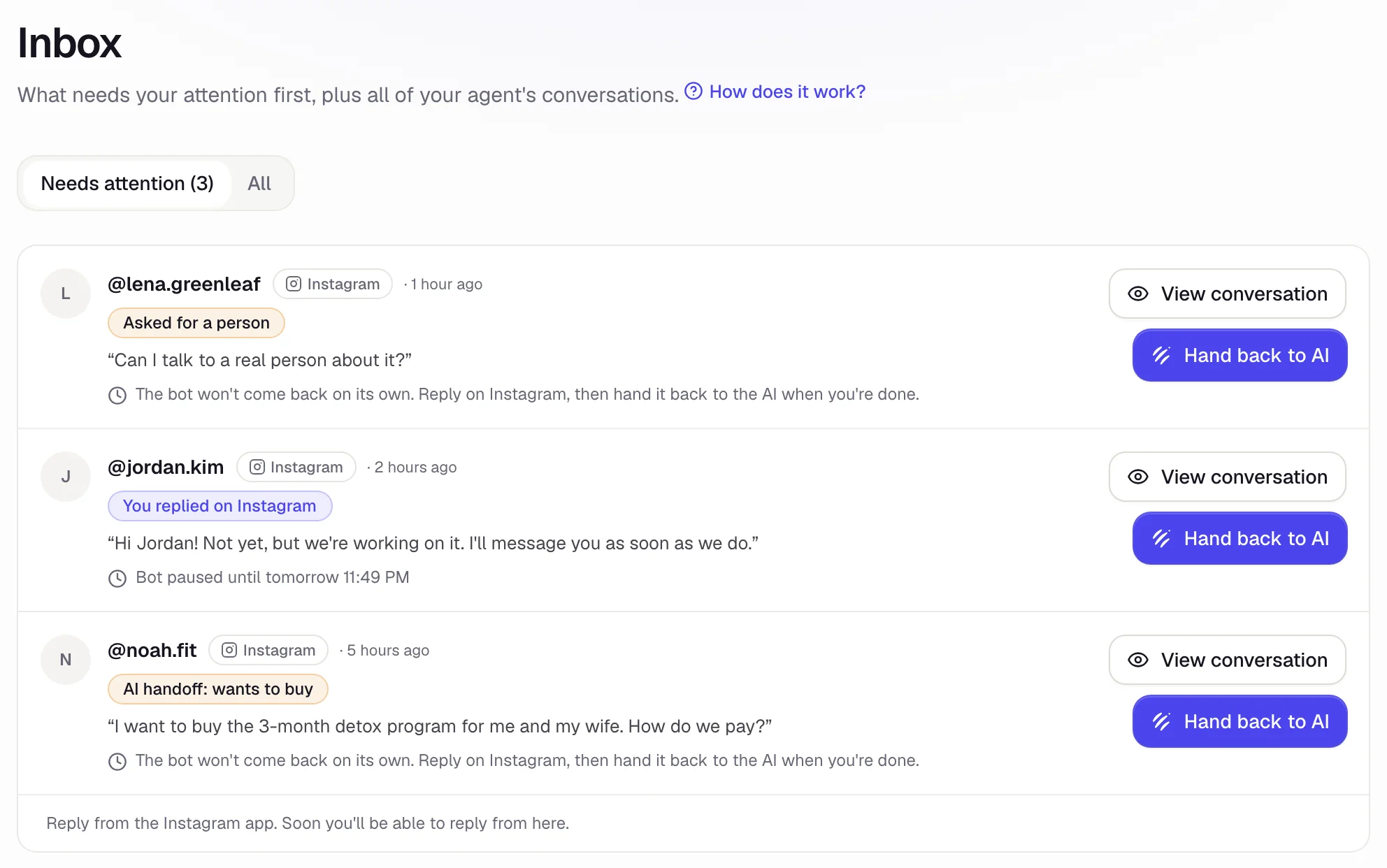
In the menu on the left, Inbox → Needs attention shows what's waiting for you, and why.
 1
2
3
- 1The reason: asked for a person, wants to buy, has a complaint…
- 2Hand back to AI when you're done.
- 3When the AI comes back on its own, or whether it won't.
How you reply
For now, the dashboard doesn't have a box to type in. Open the conversation in Instagram and reply there, like you always do.
When you reply yourself from Instagram, your agent automatically steps back from that conversation so it doesn't talk over you.
Hand back to AI or take over
The Inbox belongs to the agent you pick in the menu, under your business. With your Instagram agent selected, All shows all of its conversations, and you can filter them: All, Active, Paused, and With a person.
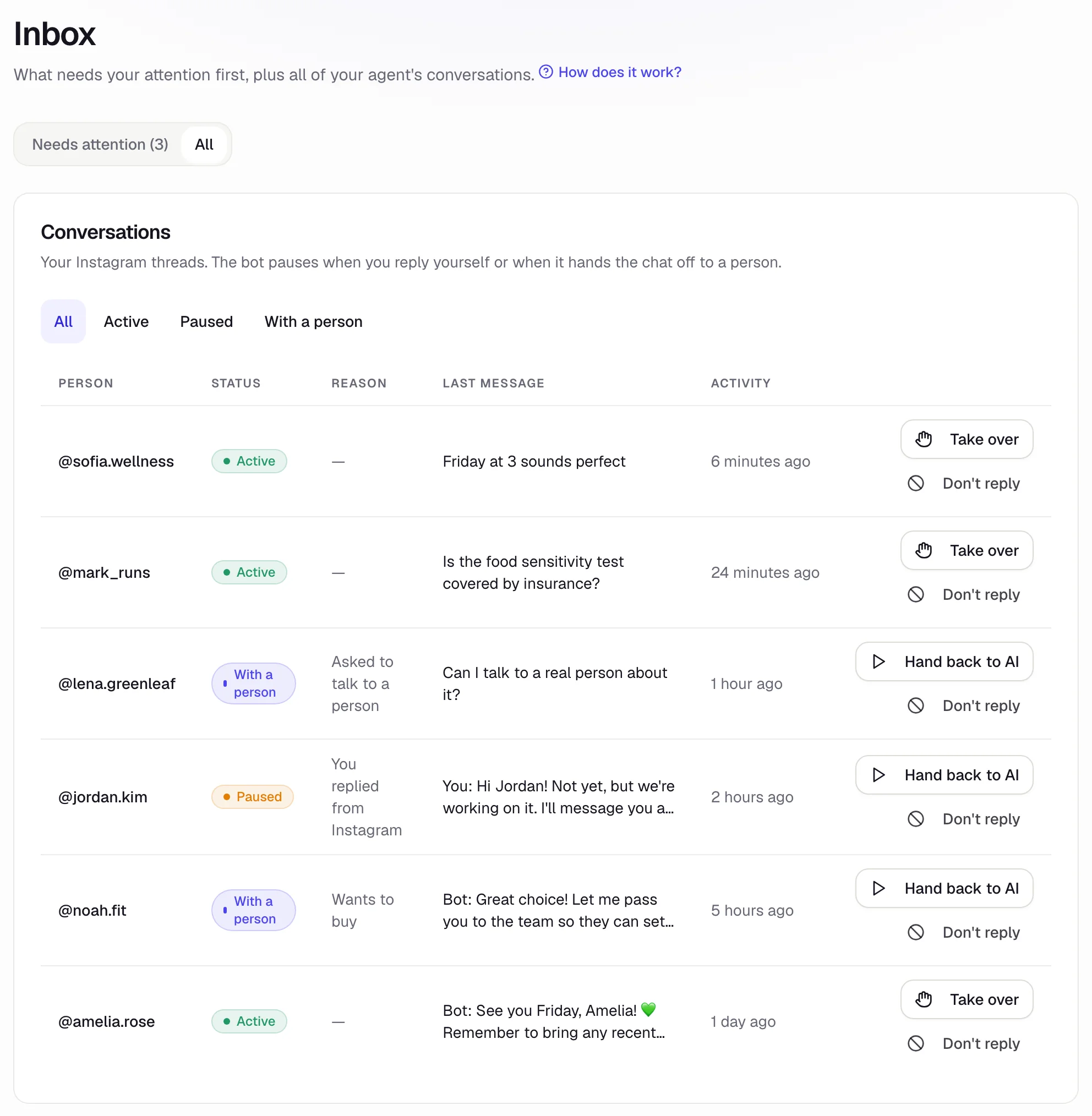
- Hand back to AI: your agent picks that conversation back up.
- Take over: the AI stops replying to that person while you handle it.
- Don't reply: your agent never replies to that person again (handy for friends or suppliers).
When does the AI come back on its own?
- If you replied yourself or took over, the AI comes back after the time you picked in Settings (24 hours unless you changed it; you can also pick 6, 12, 48, or 72 hours, or never), counting from your last message.
- If the customer asked for a person or the AI handed it to you, it never comes back on its own: you have to tap Hand back to AI.
The AI won't reply to messages that came in while you were handling the conversation. Answer those before you hand it back.