 ChatTiger
A chat for your website
Besides Instagram, ChatTiger can help visitors on your website: a chat button shows up, and your agent answers there with your business info.
Create your web agent
-
Tap "New web agent"
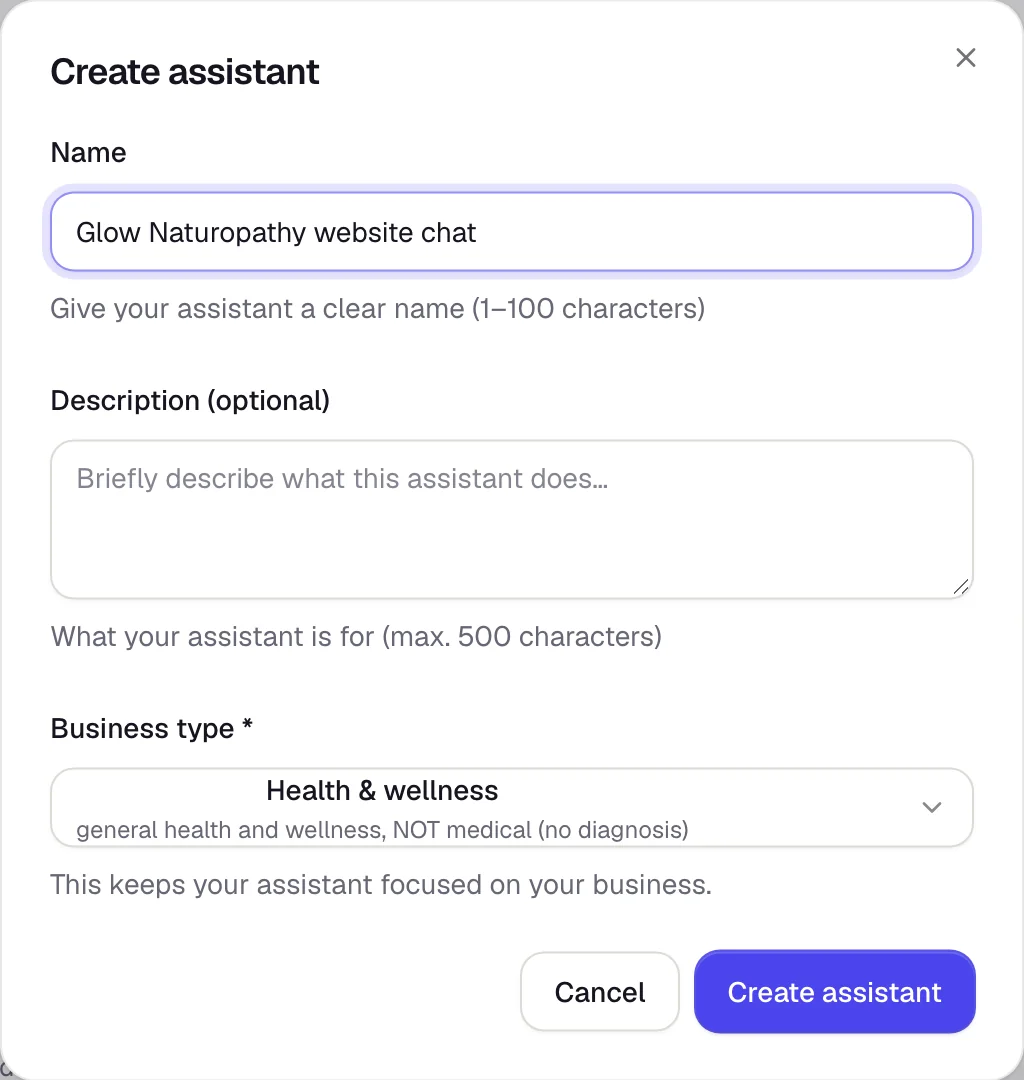
Tap the agent picker (at the top of the menu, under your business) → Create agent. In the Web section, tap New web agent. Give it a name and pick the Business type closest to yours: it keeps your agent talking only about those topics.
-
Teach it about your business
Fill in Knowledge and Behavior, just like for Instagram. See Fill in your business profile.
-
Give it your style in "Appearance"
Assistant name, your company name, your logo, the welcome message, and colors. You'll see how it looks on the right. Tap Save changes.
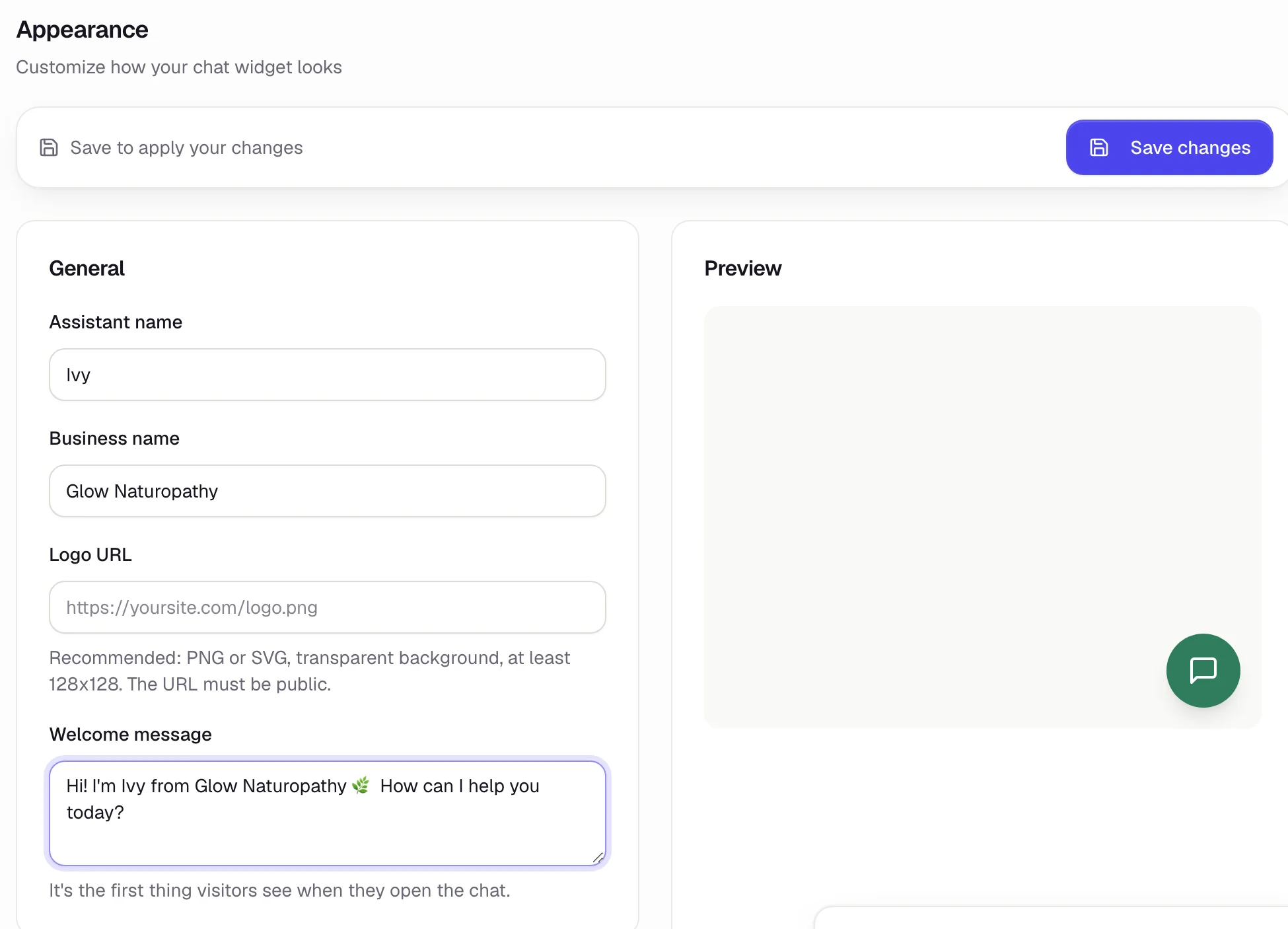
The logo has to be a public link to an image (PNG or SVG, at least 128×128).
Create the chat (widget)
Go to the Widgets tab and tap Create widget.
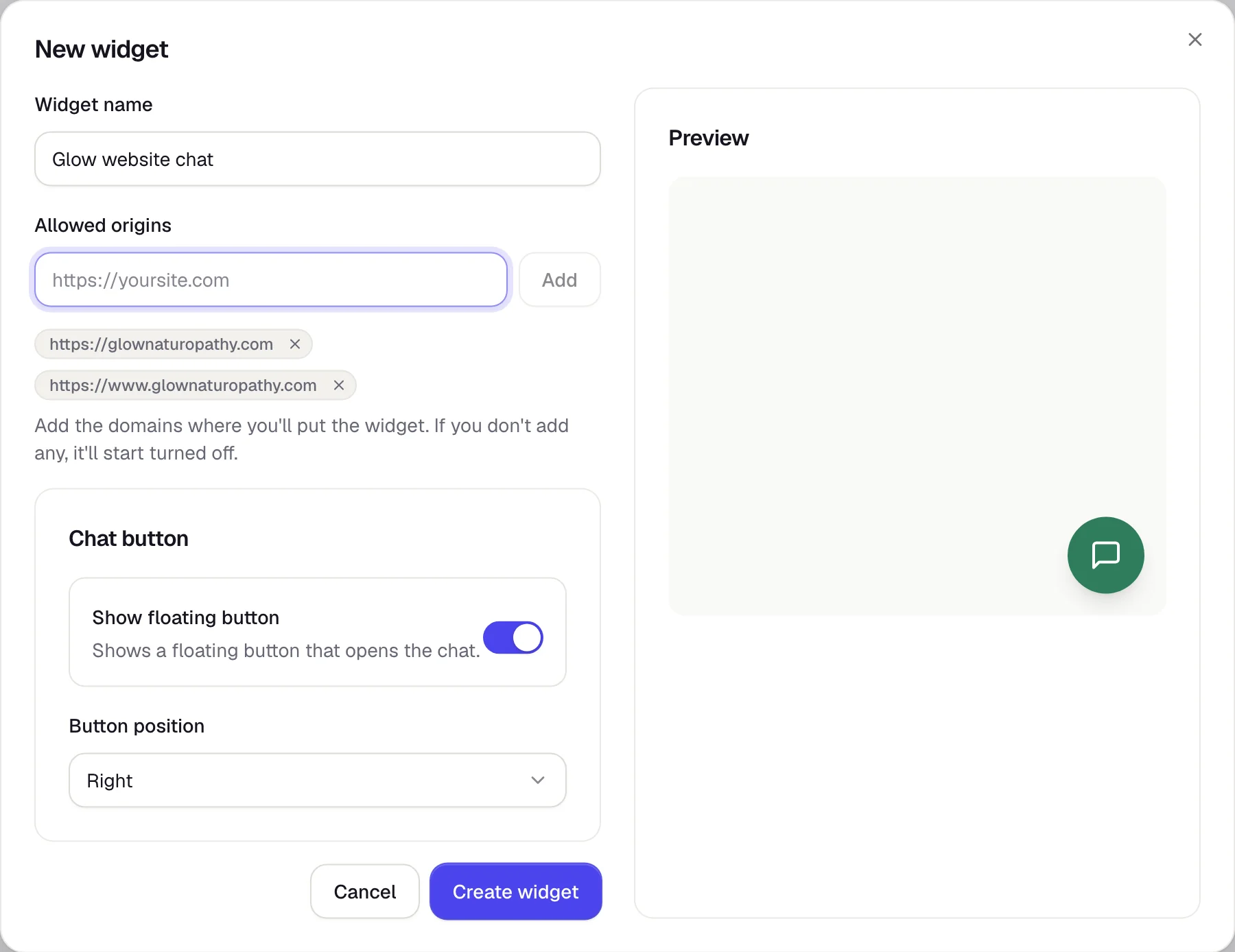
- Widget name: so you can recognize it, for example "Website chat".
- Allowed origins: your website's address, with
https://and nothing after the domain. The chat only works on the addresses you add here. - Show floating button and Button position: where the chat button shows up.
For the chat, https://glownaturopathy.com and https://www.glownaturopathy.com are different addresses. Add both. With no address, the widget starts turned off.
Install it on your website
Open your widget → Install tab and tap Copy.

- Paste that code into your website, right before
</body>. - If you use WordPress, Shopify, Wix, or another site builder, look for the option to add custom code or scripts to every page.
- Open your website: the chat button shows up at the bottom.
Turn off Show floating button and have your button run window.ChatTiger.open();. Whoever builds your website will know how.
After you install it
- Try your web agent in the Test tab.
- Read what your visitors talked about in Conversations.
- If you ever hit the daily usage limit, the website chat pauses until the next day and we'll let you know by email. Instagram keeps working.
Common problems
The chat button doesn't show up
Make sure your website's address is in Allowed origins (with and without www), that you saved, and that the widget's Status is on. Also check that the code is on every page.
It says "Use just the domain, no path"
Add only the main address, for example https://glownaturopathy.com, with no /shop or anything after it.