 ChatTiger
Reply to DMs with AI
Your agent reads your Instagram DMs and replies with the info from your business profile, any time of day. You choose who it replies to, how it sounds and what it shouldn’t do.
Choose who it replies to
In the menu → Automations → Direct messages tab → Who does your agent reply to in DMs?
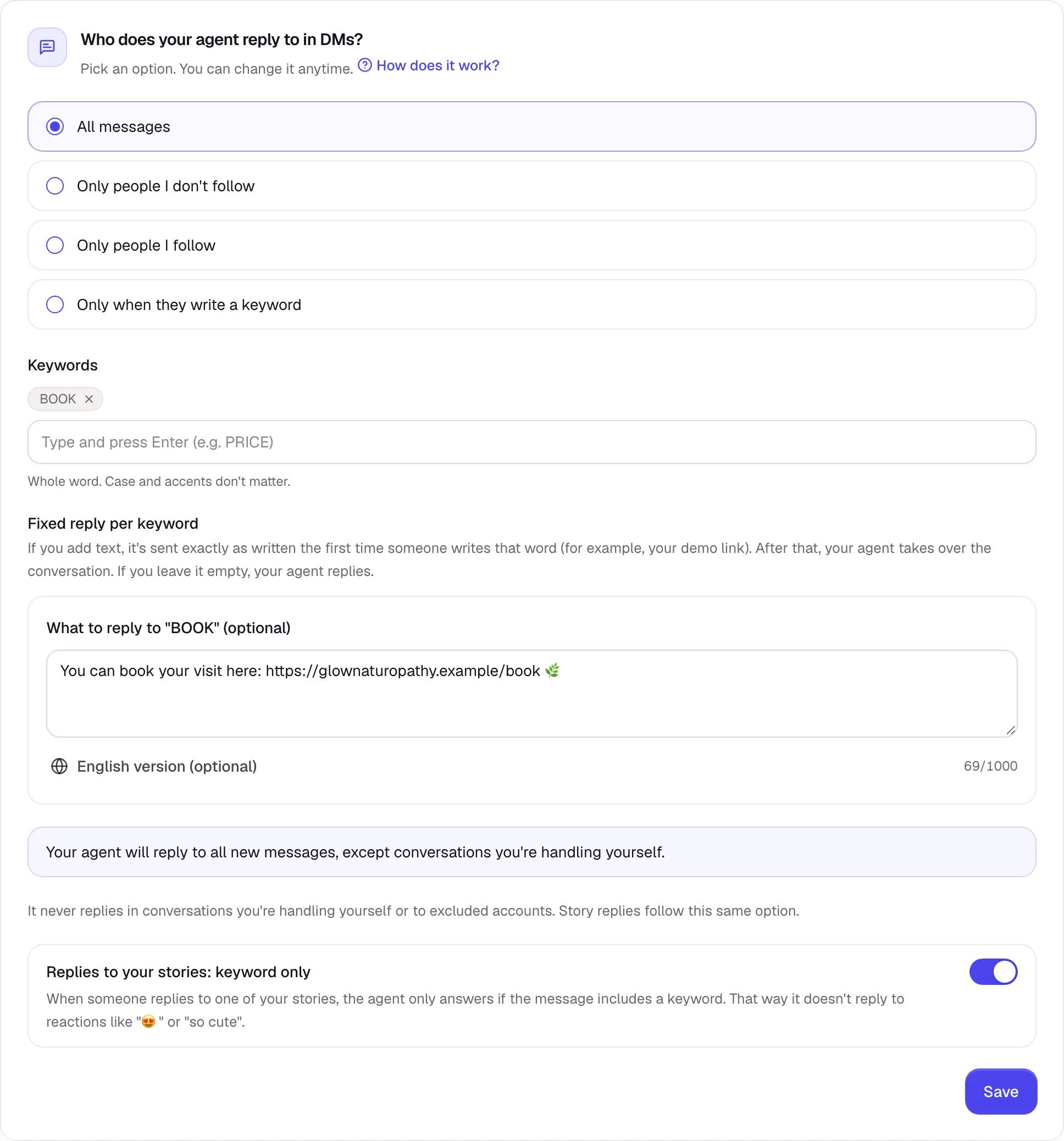
- All messages: it replies to anyone who messages you for the first time. It stays out of conversations you already had before you connected it.
- Only people I don’t follow or Only people I follow: handy if your friends or suppliers are accounts you follow.
- Only when they write a keyword: it only replies if the message includes one of your words.
Tap Save to apply the change.
Keywords and fixed replies
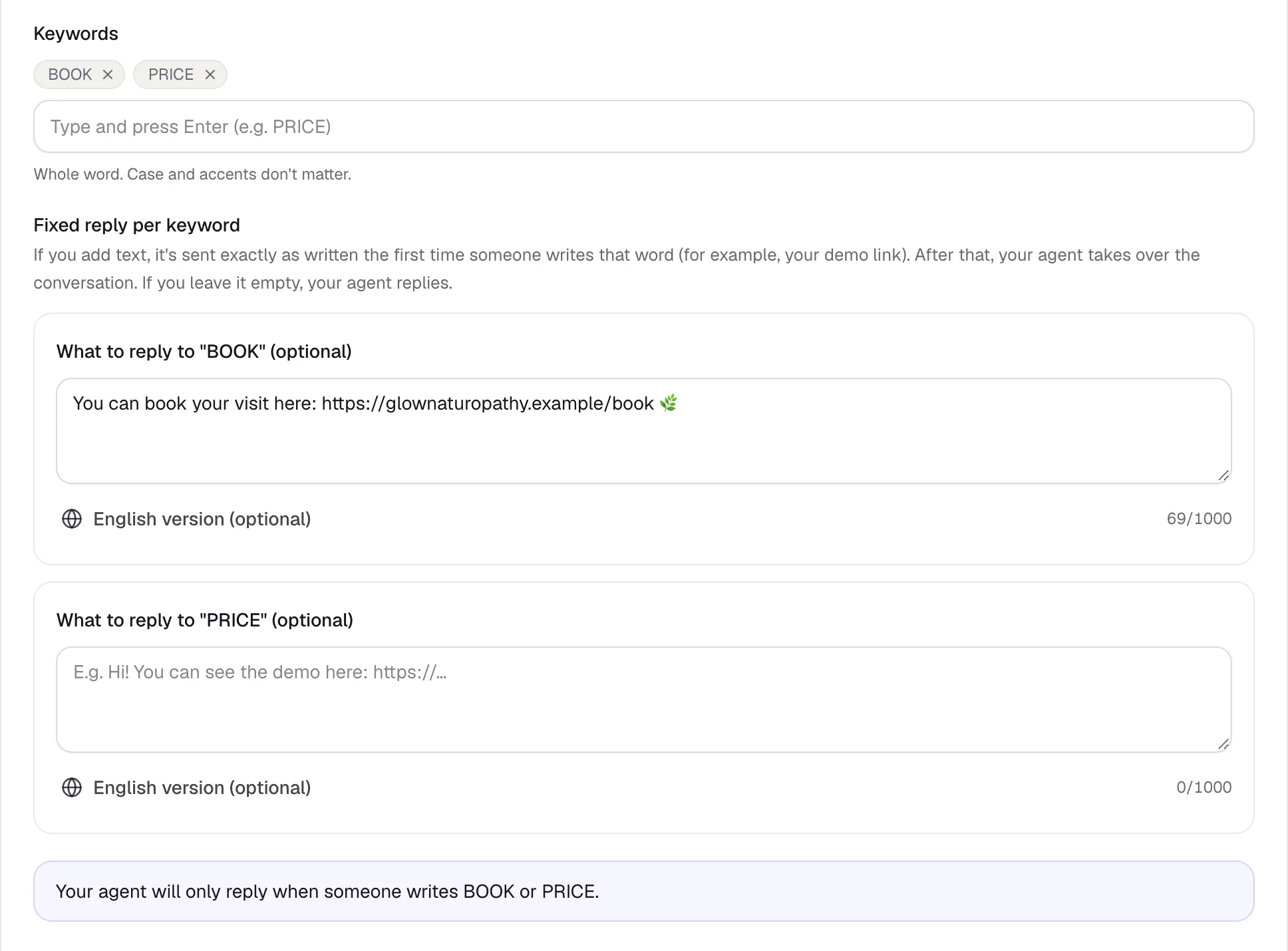
Type each word and press Enter (up to 20). It looks for the whole word, and capitalization doesn’t matter. For each word you can add a fixed reply: it’s sent exactly as written the first time someone sends that word, with a link, for example. After that, your agent takes over the conversation.
What it replies and when
- It replies with what’s in your business profile. If it doesn’t know something, it doesn’t make it up: it offers to hand the chat to a person.
- It replies 24/7. There are no business hours.
- It only reads text. It doesn’t reply to photos, voice messages or stickers.
- It never replies in conversations you’re handling yourself.
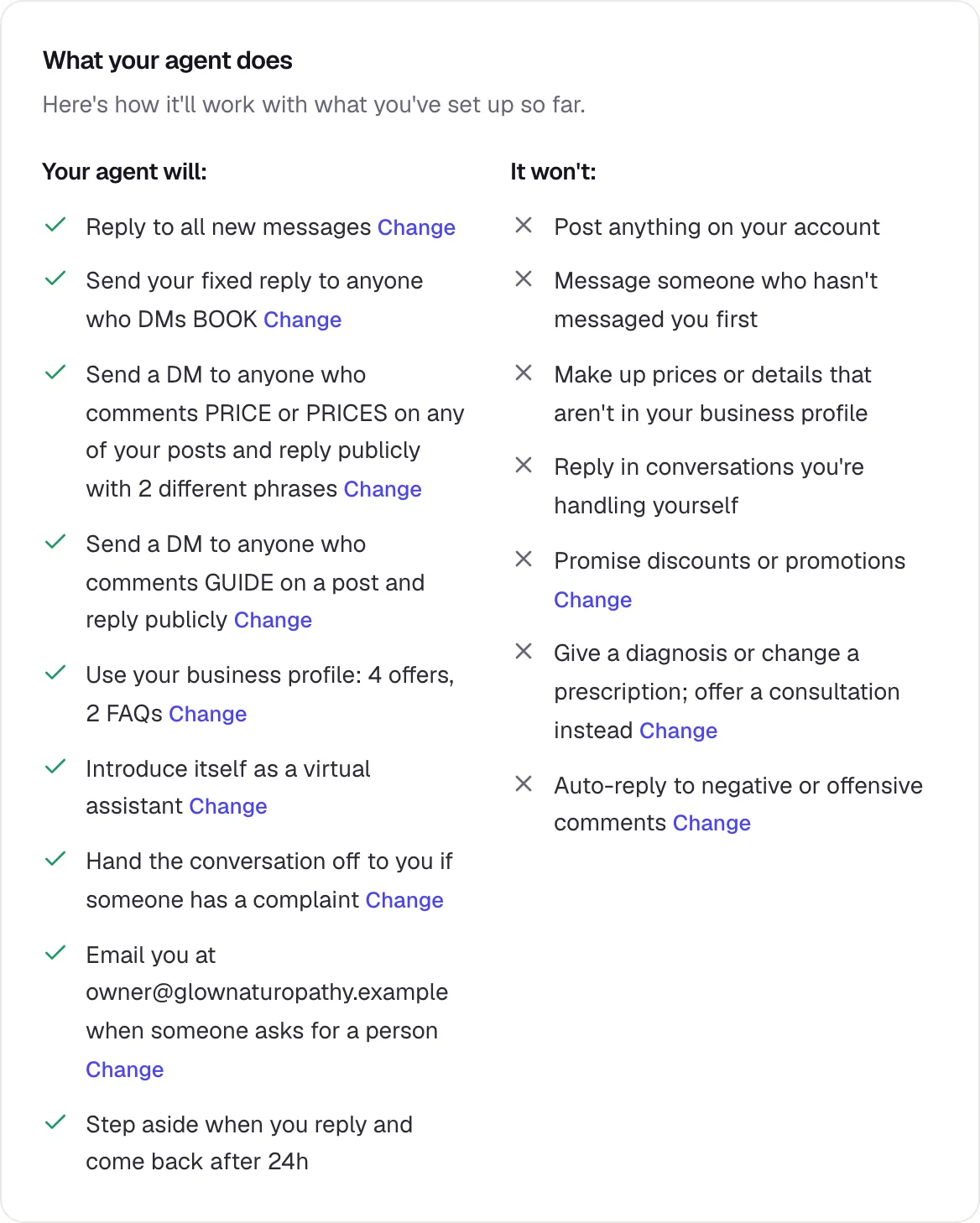
In Your agent → Overview, further down, What your agent does explains it in plain words, based on how it’s set up today:
Tone and rules
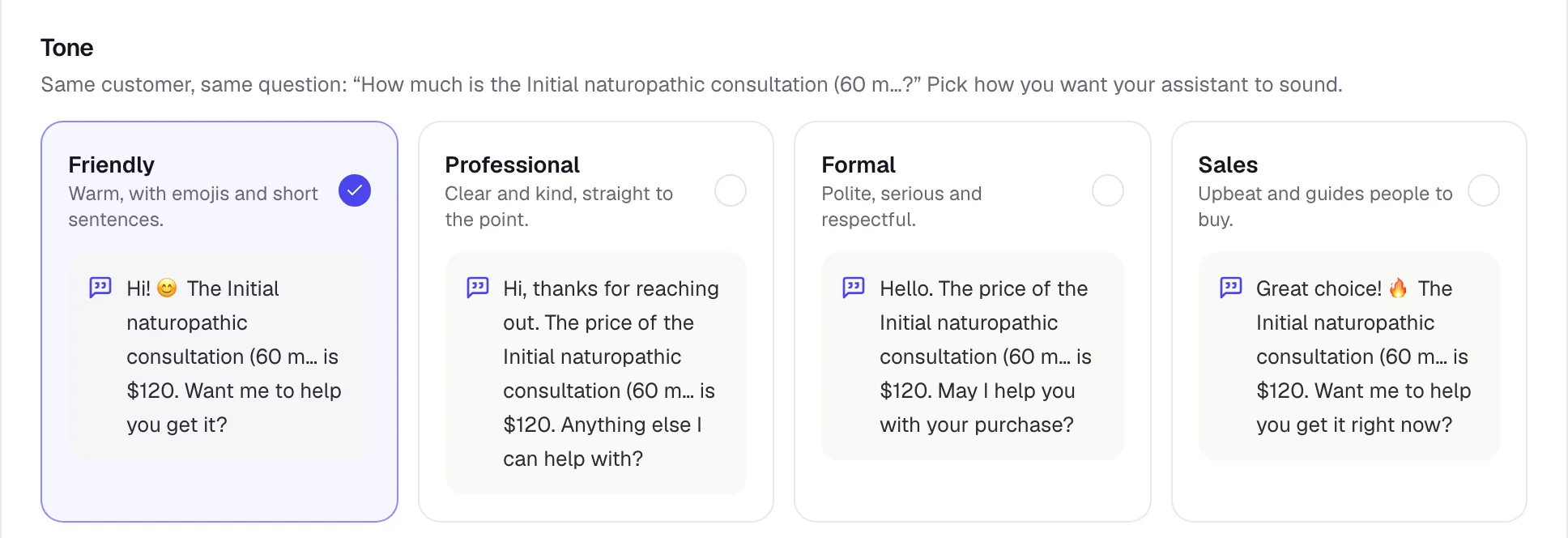
In Your agent → Behavior, at the top, you pick What’s your agent’s goal? (sell, book appointments or answer questions) and then how it sounds. Each tone shows you a sample reply using your own products and services.
Further down you’ll find Rules: what it should NOT do. “Don’t make up prices or info” is always on. You can add up to 5 rules of your own, like “Don’t talk about competitors”.
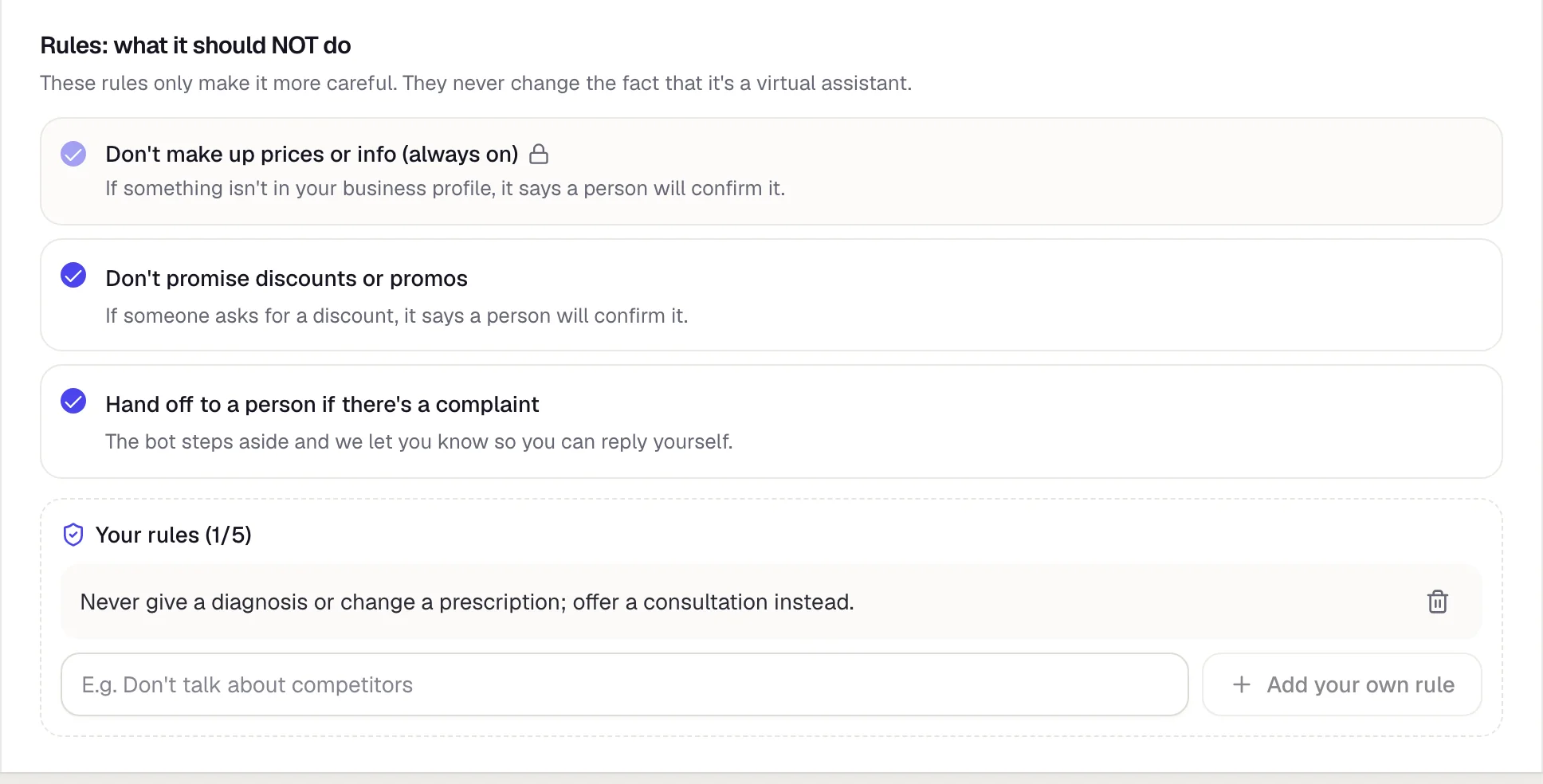
Tap Save when you’re done.
Built-in protection
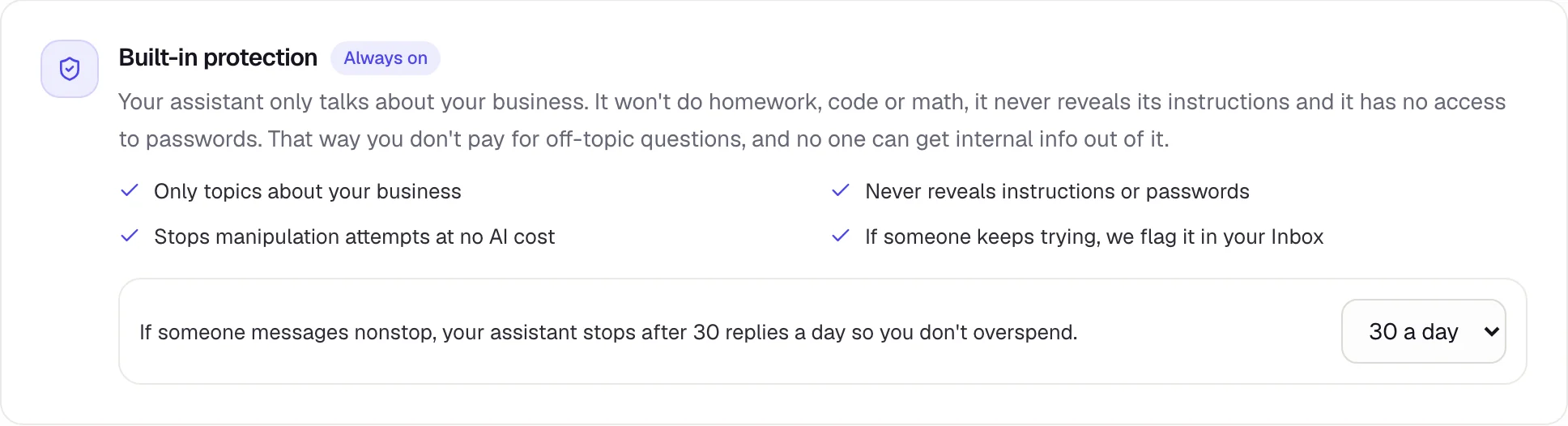
- It only talks about your business: no homework, code or math, and it never reveals its instructions.
- If someone keeps messaging nonstop, it stops after a set number of replies per person per day (20 unless you change it; you can pick 10, 20, 30 or 50).
People it should never reply to
In Settings → Excluded accounts, add friends, family or suppliers. Your agent will never reply to them, by DM or in comments. You can also tap Don’t reply in a conversation in your Inbox.
Common mistakes
My agent didn’t reply to someone who had messaged me before
With All messages, your agent stays out of conversations that already existed before you connected it. It replies to new people.
It doesn’t reply to an old message
Instagram only lets you reply to messages from the last 24 hours.
It said something I don’t like
Improve your business profile or add a rule in Behavior, then try it with Test, at the top right (how).